


Ownership disclosure:
TuneFab Ratings is operated by TuneFab. TuneFab products
may be included in our reviews or comparisons when relevant to the topic, and are evaluated
under
the same published
criteria used for comparable third-party software. Product links or download buttons
do
not replace the testing evidence, limitations, and editorial judgments shown in this
article.
If you’re looking for a Spotify to MP3 converter online, you’ll find plenty of tools that promise quick and easy downloads. But how well do they actually work? Some handle individual tracks with no trouble but struggle with playlists, while others advertise high bitrates or free downloads that come with limitations.
To find out which ones actually work, we tested 9 popular online Spotify to MP3 convertersusing the same Spotify tracks and playlists. We looked at whether downloads actually worked, how well each tool handled playlists, and whether the downloaded files matched the advertised bitrate. We also noted practical drawbacks, including download limits, sign-in requirements, verification steps, ads, redirects, and unexpected payment prompts.
9 Online Spotify to MP3 Converters at a Glance
Use the table below to quickly compare the tested tools and identify the ones you may want to explore further. Usable options are listed first, followed by tools that had significant limitations, failed our tests, or were unavailable during testing.
Note: Measured bitrate refers to the encoding bitrate of the downloaded file and does not verify the quality or bitrate of the original
Tool
Status
Best for
Track test (downloaded)
Playlist test (downloaded)
Free / paid access
Bitrate: advertised / measured
Main limitation
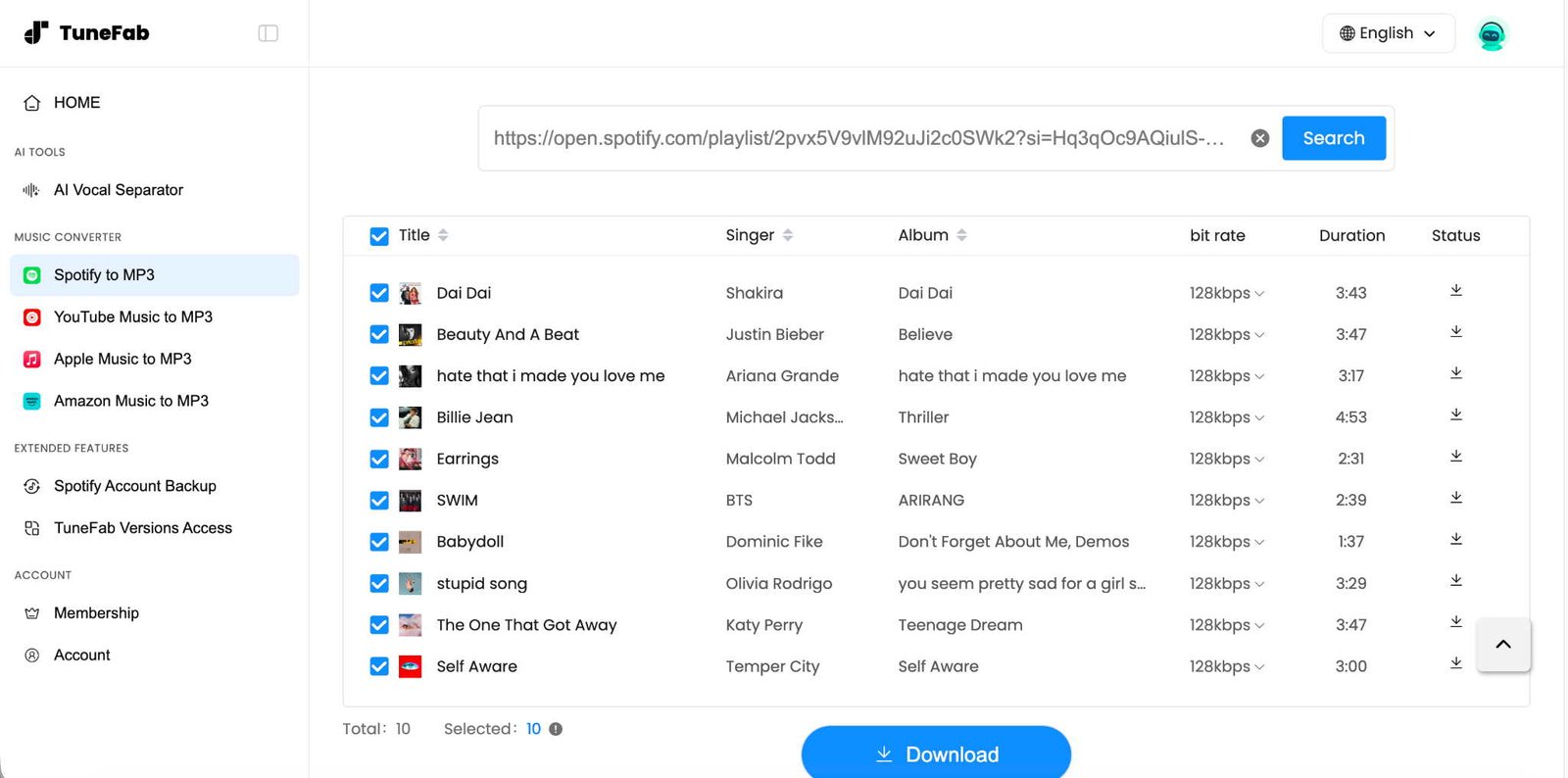
TuneFab Online Spotify Downloader
🟢
Paid 320kbps tracks and playlist downloads
20/20
Playlist 1: 10/10
Playlist 2: 50/50
10 tracks/batch
· Free: 2 tracks at 128kbps
· Paid: playlists and 320kbps
320 / 320kbps
Login and payment required for unlimited use.
Spotify-downloader
🟢
free 128kbps tracks and playlist downloads
20/20
Playlist 1: 10/10 (ZIP)
Playlist 2: 50/50 (ZIP)
Free
320 / ~128kbps
· Cloudflare verification required.
· Measured bitrate did not match the site claim.
SpotiSongDownloader
🟢
1–2 free 320kbps tracks downloads
20/20
Playlist 1: 2/10 (ZIP)
Playlist 2: 2/50 (ZIP)
· Single tracks are free
· Playlist ZIP limited to 2 tracks
320 / 320kbps
· Cloudflare verification required.
· ZIP included an extra HTML file
· Payment required for full playlist download
Spowload
🟢
Free 320kbps single-track option
20/20
No free download
· Single tracks are free
· Playlists require Premium
— / 320kbps
· Slow and inconsistent response.
· Pop-ups appeared and the download required several clicks.
· Payment required for full playlist download.
SpotifyMate
🟡
Up to 5 free playlist tracks download
20/20
Playlist 1: 5/10
Playlist 2: 5/50
· Single tracks are free
· Up to 5 tracks per playlist
· Premium required beyond 5 tracks
320 / 320kbps
· Cloudflare verification required.
· Many unrelated tabs and redirect.
· Payment required for full playlist download.
SPOTISAVER
🟠
Free tracks without ads and a backup option for playlist
20/20
Playlist 1: 0/10
Playlist 2: 0/50
No download slots are available during testing
· Single tracks are free
· Playlist downloads are more likely to succeed with a Premium plan.
320 / 320kbps
Under the free plan, playlist downloads often failed because no download slots were available.
Downloaderize
🔴
Not recommended
No free download
No free download
Downloads of tracks and playlists require Premium
— / Not measured
Advertised as free, but the download flow was token-gated.
SpotiDown.Online
🔴
Not working
0/0
Playlist 1: 0/10
Playlist 2: 0/50
No working download flow reached
— / Not measured
All tested track and playlist links failed.
KeepVid Spotify Converter
🔴
Not working
0/0
Playlist 1: 0/10
Playlist 2: 0/50
No working download flow reached
— / Not measured
All pasted track and playlist links returned “Please paste a valid link”.
How We Tested These Online Spotify-to-MP3 Tools
To keep the comparison consistent, we tested all nine tools with the same set of Spotify links on one device and report only what we observed under those conditions.
Test Setup
Test item
Details
Test date
October 7, 2026
Operating System
Windows 10
Processor
Intel Core i7-8550U
Device
Windows laptop
Browser
Chrome
Spotify tracks
20 tracks
Short playlists
1 playlist with 10 tracks each
Long playlists
1 playlist with 50 tracks each
Network
The same Wi-Fi connection throughout the tests
What We Checked
- Download success: Whether the requested audio file was successfully saved, opened normally, and matched the intended Spotify track, rather than merely recognizing the link.
- File inspection: We used the file properties to inspect the downloaded files’ bitrate, ID3 tags, and duration, while a local media player was used to verify playback.
- Playlist handling: Whether the 10- and 50-track playlists could be downloaded in full, in limited batches, as ZIP files, one by one, or only after upgrading.
- Free-use limits: Login, verification, credits, track caps, and paid restrictions.
- Ads and redirects: Pop-ups, donation prompts, unrelated pages, and product redirects.
Important:
These tools may use Spotify links to identify track metadata and match audio from anothers original audiot came directly from Spotify or contained equivalent
6 Best Online Spotify to MP3 Converters
#1 TuneFab Online Spotify Downloader
Best for: 320kbps paid playlist downloads
In our test,
<p> Pricing (checked on October 7, 2026):
- 1-Month subscription: $15.95
- 1-Year subscription: $39.95
- Lifetime license: $59.95
- Completed all track and playlist tests.
- Paid-use files checked in our test were measured at 320kbps.
- No pop-up ads or unrelated redirects were observed during testing.
- Downloaded files retained track name, artist, album, album year, track duration, bitrate, and album artwork.
- Free use requires a Member Center login and was limited to two tracks at 128kbps.
- Playlist downloads and 320kbps output require paid access.
- Playlists are downloaded in batches of up to 10 tracks, so long playlists require repeated downloads.
#2. Spotify-downloader
Best for:Free track and playlist downloads when 128kbps is sufficient
Representative Download Times
Test sample
Parsing and download time
3:43 track
About 8 seconds
8-minute track
About 20 seconds
10-track playlist
About 2 minutes 30 seconds
50-track playlist
About 14 minutes 22 seconds
- Completed every track and playlist test in the final sample.
- Download all playlist tracks in a single ZIP file without a paid upgrade.
- Cloudflare verificationwas required before processing links.
- No options to select the output format or bitrate.
- The bitrate shown in the downloaded files did not match the bitrate advertised on the website.
#3. SpotiSongDownloader
Best for: One or two free track downloads
Test sample
Download result
Representative time
3:43 track
1 track downloaded
About 8 seconds
8-minute track
1 track downloaded
About 20 seconds
10-track playlist
2 songs in ZIP
About 23 seconds
50-track playlist
2 songs in ZIP
About 30 seconds
Pricing (checked in October 7, 2026):
- 1-Month subscription: $7.99
- 1-Year subscription: $15.99
- Lifetime license: $23.99
- Completed all 20 individual-track tests.
- Downloaded files checked in our test were measured at 320kbps.
- Downloaded files kept important ID3 information, including the artist, album name, track title, duration, bitrate, and album artwork.
- Cloudflare verification was required before processing links.
- Playlist ZIPs were limited to two songs and included an extra HTML file.
- Not suitable for free downloading complete playlists in one action.
#4. Spowload
Best for:Free 320kbps individual track downloads
<p>In our tests, the page often <strong>took several seconds to respond</strong> after we pasted links and clicked ” start. for two tracks it took nearly>20 seconds to display the matching song and generate a download button. We sometimes had to click the button twicebefore the page responded. Despite these delays, all the individual tracks we tested were downloaded successfully.
Spowload also <a s download button. The downloaded files we checked measured 320kbps. They also retained the most complete set of tags among the tools tested, including the track title, artist, album name, release year, genre, and track number; file properties also showed the duration and bitrate.
Test sample
Representative time
3:43 track
About 11 seconds
8-minute track
About 30 seconds
10-track playlist
/
50-track playlist
/
- 1-Month subscription: $5
- 1-Year subscription: $25
- Lifetime license: $40
- All tested Spotify tracks were successfully downloaded.
- Downloaded files checked in our test measured 320kbps.
- The files retained a comprehensive set of ID3 information.
- The tool can parse playlist links and display individual download links for the tracks.
- Playlist downloads require Premium.
- Pop-ups interrupted the download flow.
- A download may require several clicksbefore the file starts saving.
#5. SpotifyMate
Best for:Downloading individual tracks or up to 5 tracks from a playlist
Test sample
Download result
Representative time
3:43 track
Downloaded after an unrelated redirect
About 30 seconds
8-minute track
Downloaded successfully
About 10 seconds
10-track playlist
5 tracks downloaded
About 30 seconds
- 1-Month subscription: $20
- Completed all 20 individual-track tests.
- Downloaded MP3 files checked in our test were measured at 320kbps.
- Allows up to five free downloads from a playlist.
- Multiple unrelated and promotional redirects appeared during the workflow.
- Full playlists require Premium.
- Some download-style buttons led to product pages rather than audio files.
- Users may need to close redirected pages and repeat the download action.
#6. SPOTISAVER
Best for:Free single-track downloads without observed ads
<p>Spotisaver advertises <strong>MP3 output at up to 320kbps</strong>. The single-track files we checked showed a bitrate consistent with this claim. Playlist downloads were less reliable. Spotisaver recognized both playlist links and displayed a download button, but every attempt returned the message <strong>” no download slots are free.> We tried several times but couldn’t complete either playlist download. Retrying later may help if a slot becomes available, but we couldn’t confirm that this would resolve the issue.
Test sample
Download result
Representative time
3:43 track
Downloaded successfully
About 20 seconds
8-minute track
Download after a long time preparation
About 3 mins
10-track playlist
No download slots are free
/
50-track playlist
No download slots are free
/
- 1-Month subscription: $2.24
- 3-Month subscription: $5.60
- All tested single tracks downloaded quickly.
- The bitrate shown in the downloaded files was consistent with the advertised maximum.
- No ads or unrelated redirects during testing.
- Both tested playlists were recognized successfully, but neither could be downloaded.
3 Online Spotify Converters That Failed Our Test
Downloaderize
Failure point:Tokens required before saving the file
SpotiDown.Online
Failure point:Tested Spotify links did not produce downloadable files
None of the submitted links produced a downloadable audio file, so we could not verify its claimed bitrate, metadata support, or download speed.
KeepVid
Failure point:No tested link produced a downloadable audio file
errormessage saying “Please paste a valid link!” appeared. We tried several times, but got the same result each time.
Spotify to MP3 Converter: Online vs. Desktop
Online tools are convenient because they do not require installation. However, that convenience comes with trade-offs.
Feature
Online Spotify Converter
Desktop Spotify Converter
Installation
No installation
Requires installation
Ease of use
Convenient for quick downloads
Better for regular use
Playlist downloads
May have track limits or require individual downloads
Often offers more flexible playlist handling
Batch downloads
Often limited or unavailable
More commonly supported
Output control
Usually fixed MP3 and bitrate
Multiple formats and quality settings
Website interruptions
Verification, ads, or redirects often occur
Generally fewer
Metadata
Varies
Vary by software
Best for
Quick, occasional downloads
Frequent downloads and larger playlists
When an Online Tool Is Still a Good Fit
An online Spotify Converter may be sufficient when:
- You only need one or two tracks.
- You do not want to install software.
- A fixed MP3 format or 128kbps output is acceptable.
- You are willing to complete verification or close occasional redirects.
- You don’t need to download entire playlists in batches.
When a Desktop Converter Makes More Sense
A desktop tool may be more practical when you regularly handle playlists, need selectable output formats, or do not want to recheck whether an online site is still operating. Our comparison of the best Spotify music converters for Windows and Mac focuses specifically on desktop batch performance, output quality, pricing, and stability.
Publisher’s Desktop Alternative: TuneFab Spotify Music Converter
The desktop program,
<p>Legality depends on applicable law, the rights you hold, and how the downloaded files are used. Personal or non-commercial use does not automatically make copying lawful. TuneFab Online Spotify Downloader stood out for its consistent download performance, clean interface, and support for 320kbps output with a paid plan. Spotify-downloader is another option to consider if you want a free tool for individual tracks and playlists, although the files we checked had much lower bitrates than advertised. SpotiSongDownloader worked well for individual tracks, but its ZIP downloads contained only two songs, making larger playlists inconvenient to download.
Ultimately, the right choice depends on how often you download music and whether you need full-playlist downloads, higher-bitrate output, or a completely free option. Before choosing a converter, check its actual download limits and verify the downloaded files rather than relying solely on advertised features. If you regularly download large playlists or need more consistent control over the process, a desktop converter may be worth considering.
